Playground equipment often enters the building information modeling process as a placeholder. A landscape architect drops in a generic slide symbol, the civil engineer adds a rectangular paved pad, and the model is submitted without a second look. The problem appears later: safety zones are not coordinated, fall heights do not match the protective surfacing, and the operations team receives no data to support inspections or replacement cycles.
Receiving CAD models from a playground equipment supplier is not just a drawing exchange. It is how a physical play structure becomes part of the project’s digital twin. The quality of those files determines whether clash detection, code review, accessibility review, and asset handover are useful or purely symbolic.
What a BIM-ready playground equipment model must actually do
Under ISO 19650, information must support decisions through each stage of an asset, from design through operation [1]. A colorful vendor model that looks like a slide but has no origin point, no structured metadata, and no clearance envelope creates rework instead of value.
A useful playground equipment model should do more than sit in the correct location. It should:
- Arrive in the project’s shared coordinate system with a defined insertion point.
- Represent the physical equipment envelope, the foundation or anchorage zone, and the required use zone around moving parts.
- Carry attributes such as age range, free height of fall, standard compliance, required surfacing depth, and maintenance intervals.
- Allow the architect and landscape architect to run interference checks against trees, paths, utilities, benches, and other equipment.
- Support a clear handover path to facility management, not just a visual representation for renderings.
Start with file formats that survive import
The first request to a supplier should not be “send your 3D model.” It should name the formats the project team can actually use.
| Format | BIM use | What to check |
|---|---|---|
| IFC 4.3 or IFC 4 | Open coordination and digital twin exchange | Objects are classified, not one large imported mesh |
| Revit family (RFA) | Native placement in a Revit workflow | Parameters are named, not buried in one nested family |
| DWG/DXF | 2D plans, installation sheets, foundation layouts | Correct units, insertion point, and block naming |
| ACIS/SAT or STEP | Fabrication-grade geometry for metal components | Watertight solids, not excessively tessellated surfaces |
| Rhino/3DM or SketchUp | Early massing and landscape studies | Reasonable polygon count and clean origin |
| COBie spreadsheet | Asset data for operations and maintenance | Matches the equipment schedule and procurement list |
IFC is the most dependable open exchange route because it is software-neutral and built to carry structured data [2]. A native Revit family may be convenient, but it should not be the only file if the owner, structural engineer, or facility manager works in another system.
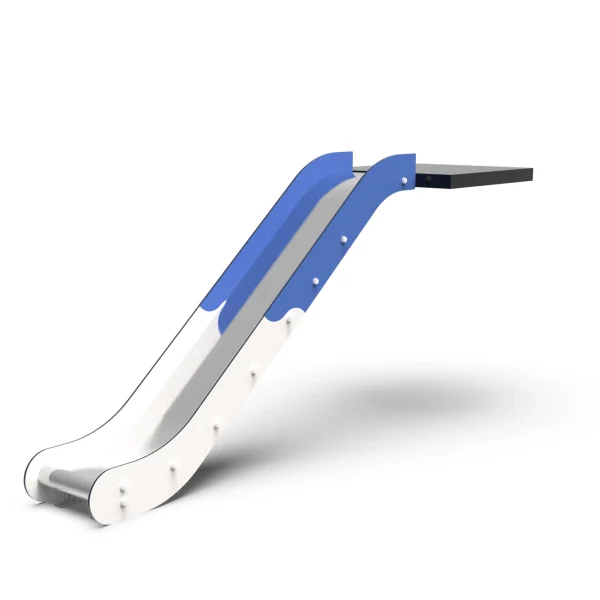
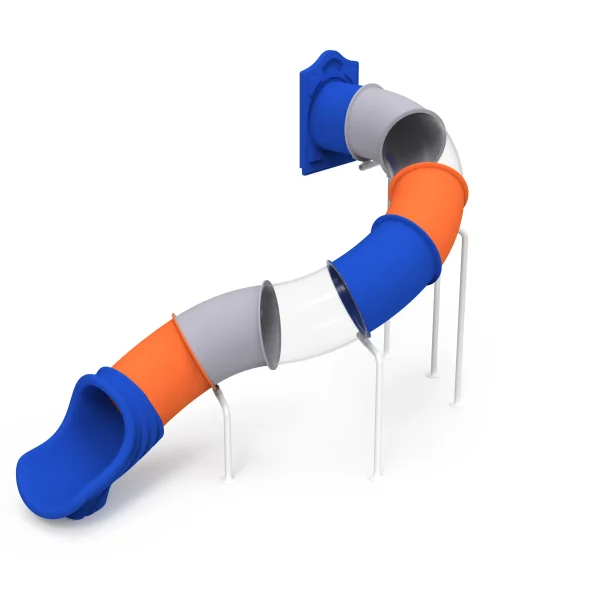
Some suppliers maintain product nodes at the equipment category level, such as slides, swings, spinners, and seesaws. Reviewing the Playground Slide Manufacturer OEM product line, or an equivalent category page, can help the design team confirm which products are available as BIM-ready models before the first file changes hands.
Set the geometry quality before the supplier sends the first file
The level of development, or LOD, should be written into the request. The BIMForum Level of Development Specification gives consistent definitions for how much detail a model needs at each stage [3].
For most playground equipment, the practical levels are:
- LOD 200 for early site planning: a simple volume showing the product footprint and rough height.
- LOD 300 for construction documents: the physical product modeled with correct size, shape, orientation, and material assignment.
- LOD 350 for coordination: connections, anchorage points, moving-part clearances, and adjacent access zones are represented.
- LOD 400 for fabrication or installation: sufficient detail for shop drawings and precise field layout.
The single most missed element in playground equipment models is the fall zone. A slide can look small in plan, but the required safety area around it may extend several meters. EN 1176-1 defines free height of fall and the requirements for impact-attenuating surfacing [4]. ASTM F1487 similarly establishes clearance and use zone requirements for public play equipment [5].
If the vendor model contains only the physical structure, the design team must draw the use zone manually in every view. A better approach is to request it as a separate transparent 3D envelope that can participate in clash detection. This lets the project team see whether a swing’s moving path conflicts with a walkway, a bench, or another piece of equipment.
Site grading and drainage affect whether a coordinated fall zone can actually be built as drawn. <Playset Ground Leveling and Drainage Solutions for Outdoor Slides> covers the surface and sub-surface decisions that keep the final installation consistent with the model.
Metadata turns a geometric model into a digital twin file
A model without data is not a digital twin file. It is decoration. The architect can place it, but nobody can use it for review, procurement, safety management, or maintenance.
Useful attributes for playground equipment include:
| Parameter | Why it matters |
|---|---|
| Asset ID or equipment tag | Links the model to procurement and maintenance records |
| Equipment classification | Aligns the object with the project’s work breakdown structure |
| Age range | Supports safety review and age-separation zoning |
| User capacity | Informs occupancy and supervision planning |
| Free height of fall | Drives protective surfacing depth and impact attenuation review |
| Required use zone | Reserves space around moving parts and exit areas |
| Primary materials and finish | Supports corrosion, cleaning, and life cycle decisions |
| Compliance references | Confirms EN 1176, ASTM F1487, or local standards |
| Warranty end date | Feeds maintenance and replacement planning |
| Replacement part lead time | Supports operational readiness without overstocking |
COBie-style asset data is most valuable when it is collected early and verified at handover. The National BIM Standard-United States defines clear structures for these equipment records and security attributes [6]. Waiting until the end of construction to create asset information usually means missing fields, disconnected spreadsheets, and unnecessary phone calls.
Version control and the coordination workflow
A BIM-ready CAD package is not a single email with a compressed folder. It should follow a repeatable process.
- The project team specifies the required information in the BIM execution plan before ordering equipment.
- The supplier issues a formal transmittal with file names, revisions, and dates.
- The model is opened in a coordination view before it is linked into the architectural model.
- Basic checks confirm units, origin, classification, material assignments, and fall zone geometry.
- Native Revit families are only linked or bound after parameter names are cleaned.
- Clash detection runs against structural, landscape, and underground utility models.
- The approved model and asset data are exported for construction and operation.
A common error is accepting a model that looks impressive in a screenshot but fails as soon as it is imported. That is why the model should be tested against the same file structure the project team will use for the rest of the design.
Model coordination should continue into physical verification before handover. <12 Critical Post Installation Acceptance Tests for Playgrounds> covers the on-site checks that confirm installed equipment matches the approved model.
Common pitfalls when accepting playground CAD models
The difference between a good supplier file and a poor one becomes obvious under coordination, not just on a marketing page.
- Exploded geometry: components arrive as thousands of meshes with no logical grouping.
- No use zone: the safety envelope is missing, so clearance checks are meaningless.
- Wrong units: a model built in inches is placed into a millimetre project and scales incorrectly.
- Render-grade files: high-detail visuals slow the whole project model and add no coordination value.
- Dead metadata: product names, standard references, and warranty dates are absent.
- Unstable insertion point: the model moves or rotates when reopened.
The best mitigation is a written model request sent before production begins. If the supplier cannot provide the required file, the project team should know that before the equipment reaches the factory floor.
BIM-ready request checklist
A practical request for playground equipment CAD files should include the following:
- Native format plus IFC exchange file.
- 2D plans in DWG or PDF for installation.
- Units defined as millimetres or the project’s approved unit convention.
- Shared coordinate insertion point.
- Components modeled as individual elements or named sub-objects.
- Separate safety envelope and foundation footprint.
- LOD 300 as the minimum for construction documents, LOD 350 for coordination.
- Metadata fields for age range, fall height, standards, surfacing, maintenance, and warranty.
- COBie-compatible asset data.
- Certification documents referenced or linked within the model.
If you are preparing a model request for an outdoor play area, send the project scope before the equipment is finalized. You can contact Suzhou LvDong at [email protected] or WhatsApp +86 139 1568 4545 with the target age group, project units, preferred file formats, and shared coordinate system. This helps the technical team prepare a compatible CAD package instead of a generic render file.
From CAD delivery to the owner’s digital twin
Once the model passes coordination and code review, its value shifts to operations. An asset with warranty dates, replacement lead times, inspection intervals, and compliance references can feed a maintenance calendar. In a digital twin, the playground equipment does not remain a static image. It becomes a record that changes as the installed product is inspected, repaired, and eventually replaced [6].
That operational value depends on decisions made long before handover. It depends on file formats, geometry quality, metadata, and a controlled review workflow. Every one of those decisions is easier to make when the supplier is treated as a technical information provider, not only as a product vendor.
If the play area is part of a larger sequence, site planning choices affect both the model and the built play experience. <Outdoor Playground Set Layout Strategic Design for Optimal Play> covers layout decisions that should be resolved before the CAD package is finalized.
Frequently Asked Questions About CAD Models and Digital Twin Files
What is the most important file format for playground equipment in BIM?
IFC is the most reliable open exchange format for coordination and long-term data use. If the architect works in Revit, a clean Revit family is helpful, but the IFC file ensures the object remains usable outside a single software ecosystem.
Is a rendered 3D model the same as a digital twin file?
No. A rendering may look complete but carry no metadata, no safety zones, no maintenance data, and no reliable origin. A digital twin file should include structured attributes that can be used for clash detection, safety review, asset management, and facility maintenance.
What LOD should playground equipment have at the construction document stage?
LOD 300 is the practical minimum for most building projects. LOD 350 is better when anchor positions, moving-part clearances, and safety zones must be coordinated with other systems. LOD 400 is usually reserved for fabrication or installation drawings.
How should fall zones be represented in the CAD package?
Request fall zones as a separate transparent 3D envelope, not as part of the main product geometry. This allows the architect and landscape architect to run interference checks against trees, benches, pathways, and other equipment without manual tracing.
Do I need to ask for COBie data?
If the owner will maintain the playground as part of a larger building or campus, yes. Asset IDs, warranty dates, replacement parts, inspection intervals, and compliance references are much easier to collect at handover than years later.
References
[1] ISO 19650-1:2018, “Organization and digitization of information about buildings and civil engineering works, including building information modelling (BIM) — Information management using building information modelling — Part 1: Concepts and principles,” International Organization for Standardization, Geneva, Switzerland, 2018.
[2] buildingSMART International, “Industry Foundation Classes (IFC) 4.3.2 Specification,” 2024.
[3] BIMForum, “Level of Development (LOD) Specification Part I & Commentary,” 2023.
[4] EN 1176-1:2017, “Playground equipment and surfacing — Part 1: General safety requirements and test methods,” European Committee for Standardization, Brussels, Belgium, 2017.
[5] ASTM F1487-21, “Standard Consumer Safety Performance Specification for Playground Equipment for Public Use,” ASTM International, West Conshohocken, PA, 2021.
[6] National Institute of Building Sciences, “National BIM Standard-United States Version 4,” buildingSMART alliance, Washington, DC, 2022.
If you’re interested, check out these related articles:
Weatherproof Play Panels Material Durability Comparison
Kindergarten Outdoor Play Equipment Strategic Upgrade Priorities